Using Lightroom to Create Black & White Images
I am a person who sees in color and therefore my photographs are in color, but sometimes color is distracting and facial expressions and emotion get lost in the “clutter”. Black and white photography highlights the face, the eyes and expressive personalities. It doesn’t just work for people, but black and white photography works for animals as well.
Take for example this gorilla from the Omaha Zoo.
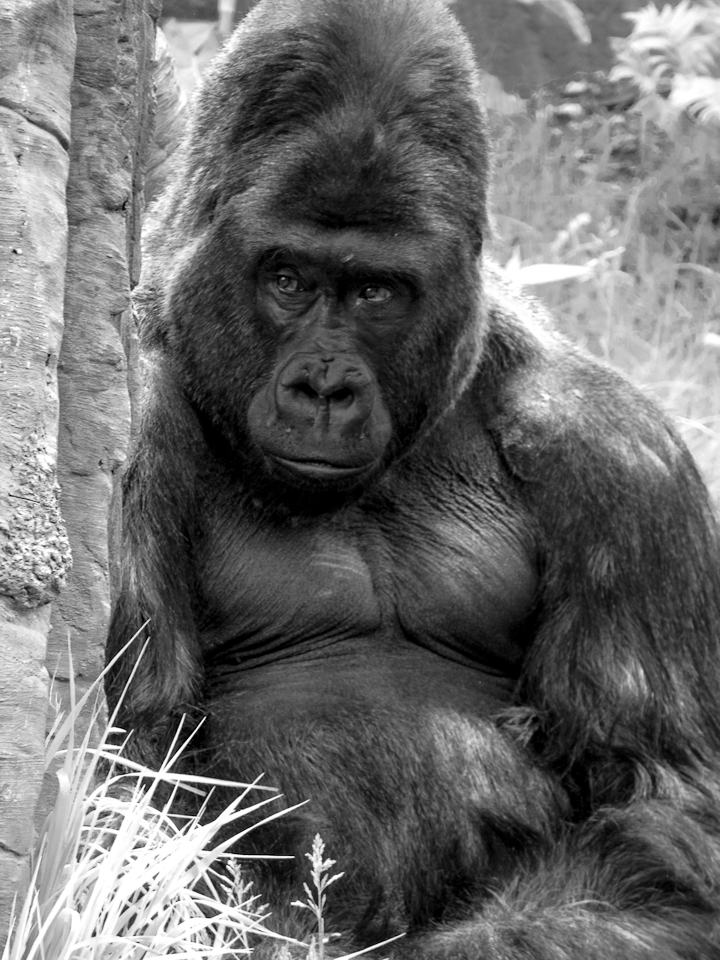
I’ve seen some amazing black and white photographs on the photography section of the WordPress blog. So, I thought I would try my hand at using Adobe Lightroom to see if I could achieve the same thing. I love Adobe Lightroom, it’s easy to learn and no matter how many times you edit your photo you can go back to the original without worrying about losing data.
Stand Alone Adobe Photoshop Lightroom 6 Program | PC/Mac Disc $10/month Adobe Creative Cloud Photography plan (Photoshop CC + Lightroom) subscription
It’s not as simple as clicking the black and white button. I also adjusted some of the underlying color tones and increased the clarity to bring out the details and shadows.
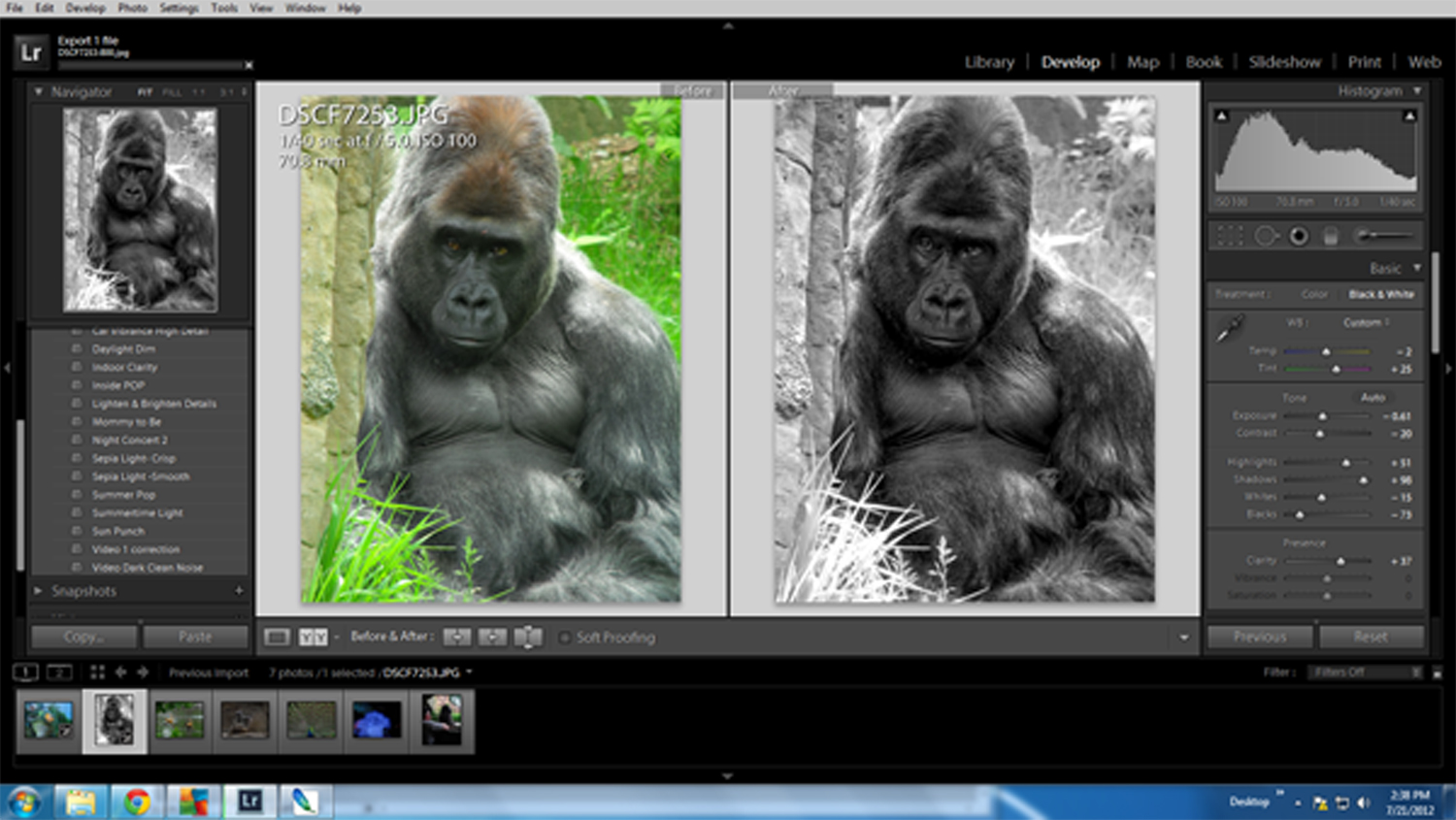
This is a time I wish my WordPress template was wider for images. If you click on the image you can see some of the changes in a bigger format.
The original black and white threw too many shadows around his eyes, but the adjustment lighten brush solved that problem. I also used the adjustment brush to sharpen his nose, darken highlights in the fur and increase the clarity in the creases. There really was a lot I did to this image, so much so I couldn’t list them all.
Many photographers learn by watching YouTube videos but sometimes there is nothing like settling down with a book for inspiration. If you have a friend who loves photography and is creative these make great Christmas or birthday gifts.
Black and White Photography: A Basic Manual Third Revised EditionThe Art of Black and White Photography: Techniques for Creating Superb Images in a Digital Workflow

Photo info: This gorilla lives at the Henry Doorly Zoo in Omaha, it’s one of my favorite places to visit. I posted earlier about the Gorilla exhibit, give it a read, it’s pretty amazing. If anyone visits Omaha contact me and I’ll be more than glad to take you on a tour.
Black and White Photography Hints and Tips
5 digital photography tips only the pros know
Kim Komando: 5 digital photography tips from the pros
Black And White Photography Tips – The SITS Girls
Black and white photography – Digital Camera World
4 Tips to Help you Decide Between Black and White or Color

You did a terrific job on this conversion. Great shot.
Thanks, I do like it better than the color image. The green grass is distracting. The black and white draws the focus to his face.
Awesome Black and White Image of the Gorilla!!! Lightroom is awesome for creating black and white images. You did a fantastic job with the gorilla. Props!
Thanks for the compliment, I’m learning more and more about Lightroom and wonder how I lived without it. LOL
Nice B&W edit.
I do a lot of minor tweaking and fixing in Lightroom (and to a lesser extent Photoshop), the adjustment bush is a great tool. I think the best tweaks are the ones the people don’t even realise you’ve made. Nice work and fantastic looking animal.
Thank you, I need to go back to the zoo now the “I” have control over my son’s Rebel. I want to say thanks for stopping by my blog and spending so much time here. I hope you enjoyed it.
I really like your images! As a digital photographer I am aware it is usually hard to choose the right ones but they’re
wonderful. I use several Lightroom presets to keep some uniformity in my own.